

Alternative Investment Fund Management Software
Enhance Operational Efficiency and Streamline Fund Administration Workflows

Enhance Operational Efficiency and Streamline Fund Administration Workflows
PE Front office fund management software simplifies fund administration workflow management while driving operational efficiencies. Streamline complex investment structures along with fund cost allocation, currency hedging, facility and compliance management. Track investor commitment, D/D, capital account, and performance summary. Leverage advanced AI-powered bank reconciliation and other third-party integrations to drive efficiency for your team and all other stakeholders.
Request Free Trial
Turn Fragmented Information Into Actionable Intelligence
Complex Investment Structures
Complex Investment Structures
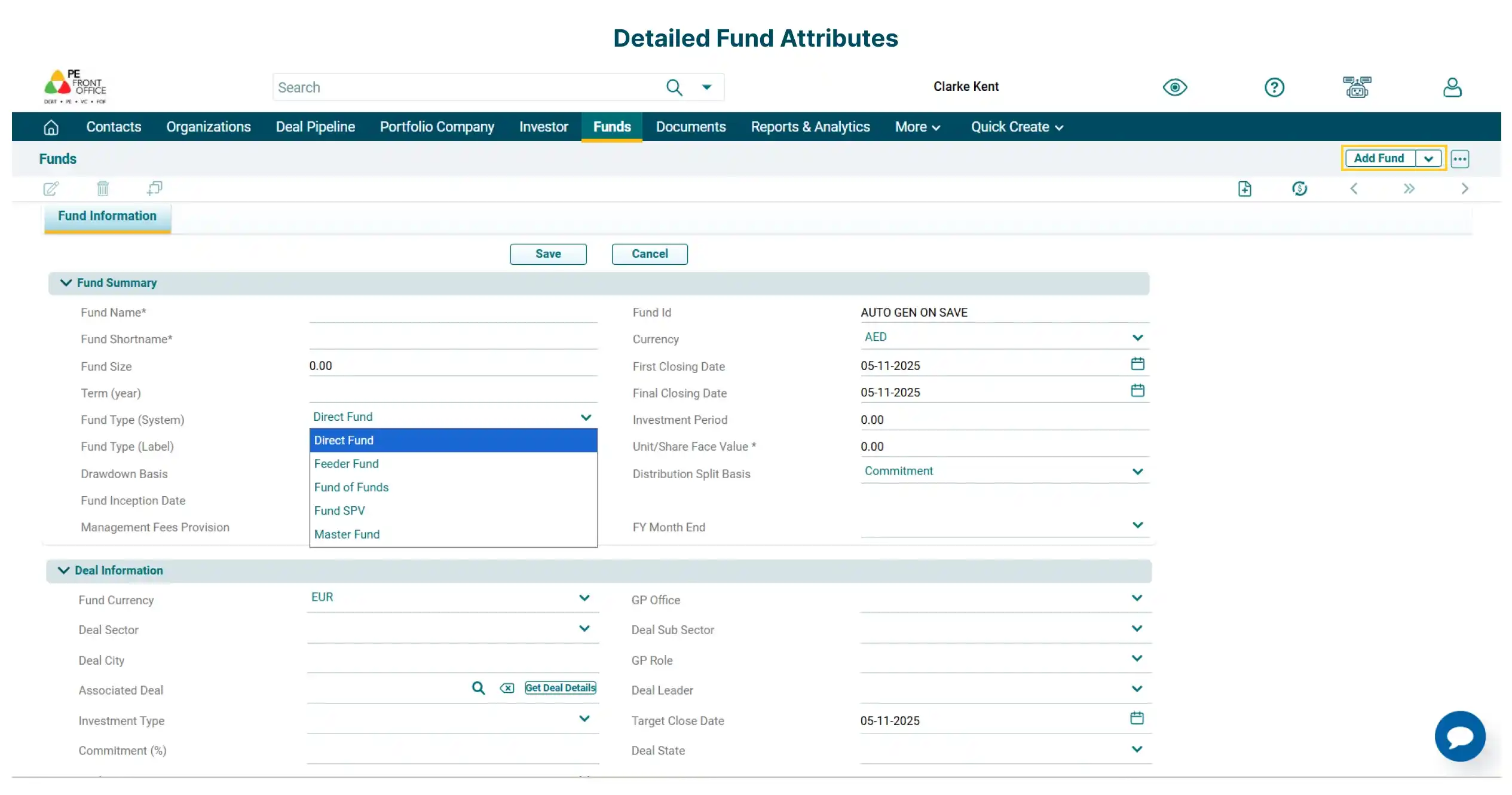
Capture complex fund structures, multi-currency set-up, and cashflows catering to private capital markets. Seamlessly set up different fund types, such as Master Funds, SPVs, Feeder Funds, Fund of Funds, and Investee Funds.
Fund Information Summary
Fund Information Summary
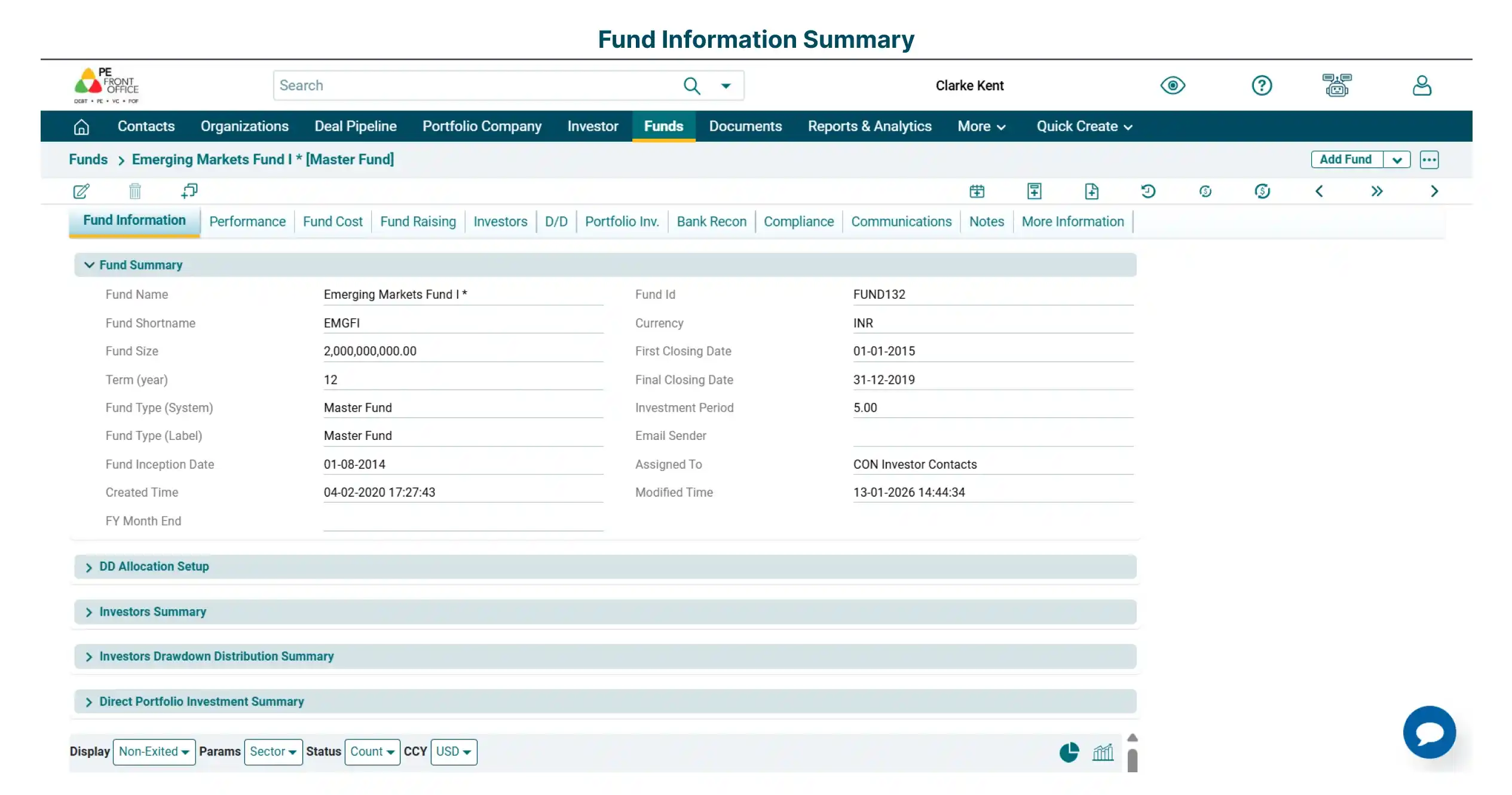
Capture detailed fund attributes such as fund size, investment period, first & final closing date and legal & other terms.
View investor, portfolio and deal pipeline summary at the fund level.
Fund Performance Summary
Fund Performance Summary
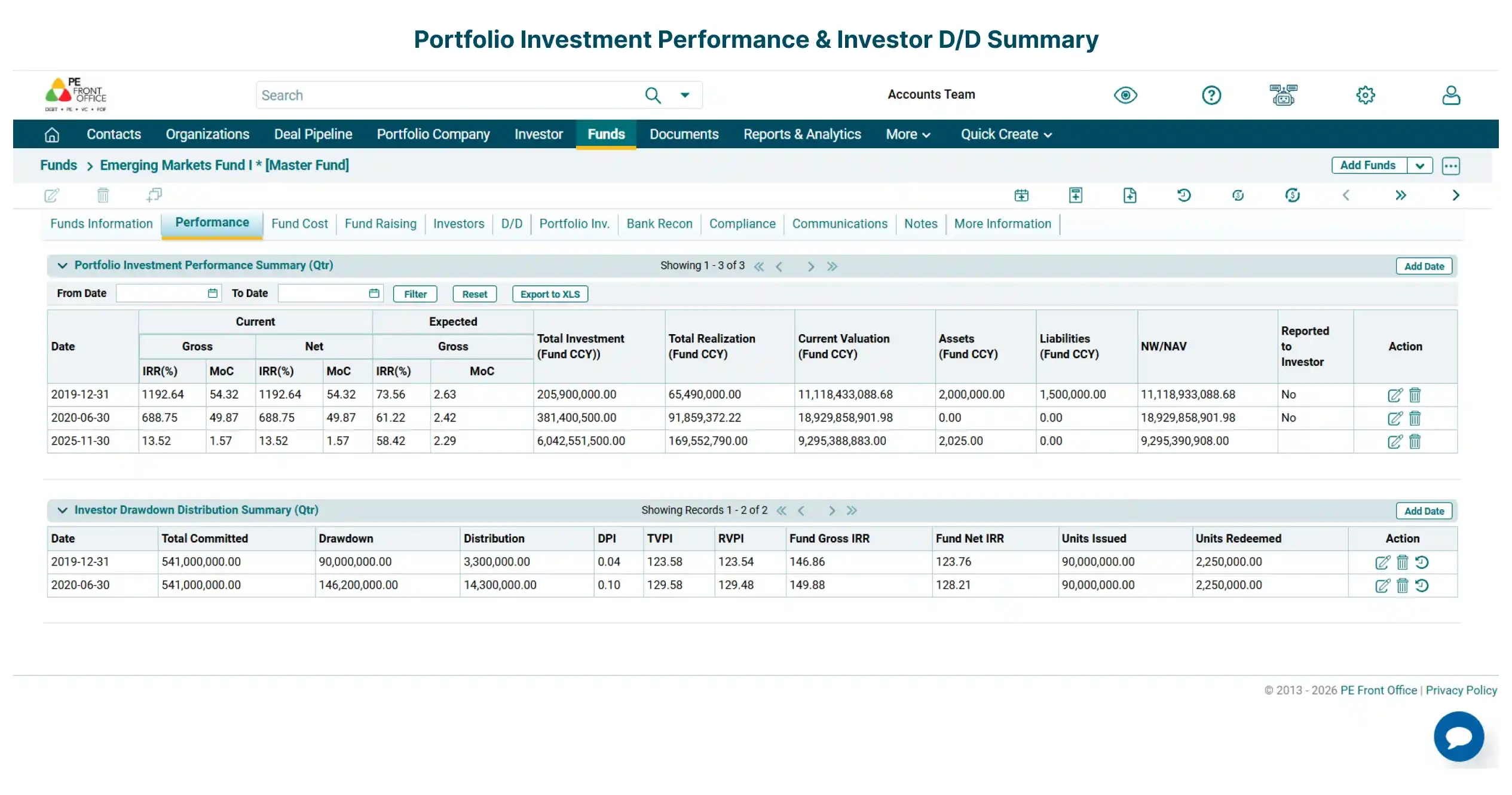
Track historical quarterly portfolio investment performance and Investor drawdown/distribution summary.
Investor Summary
Investor Summary
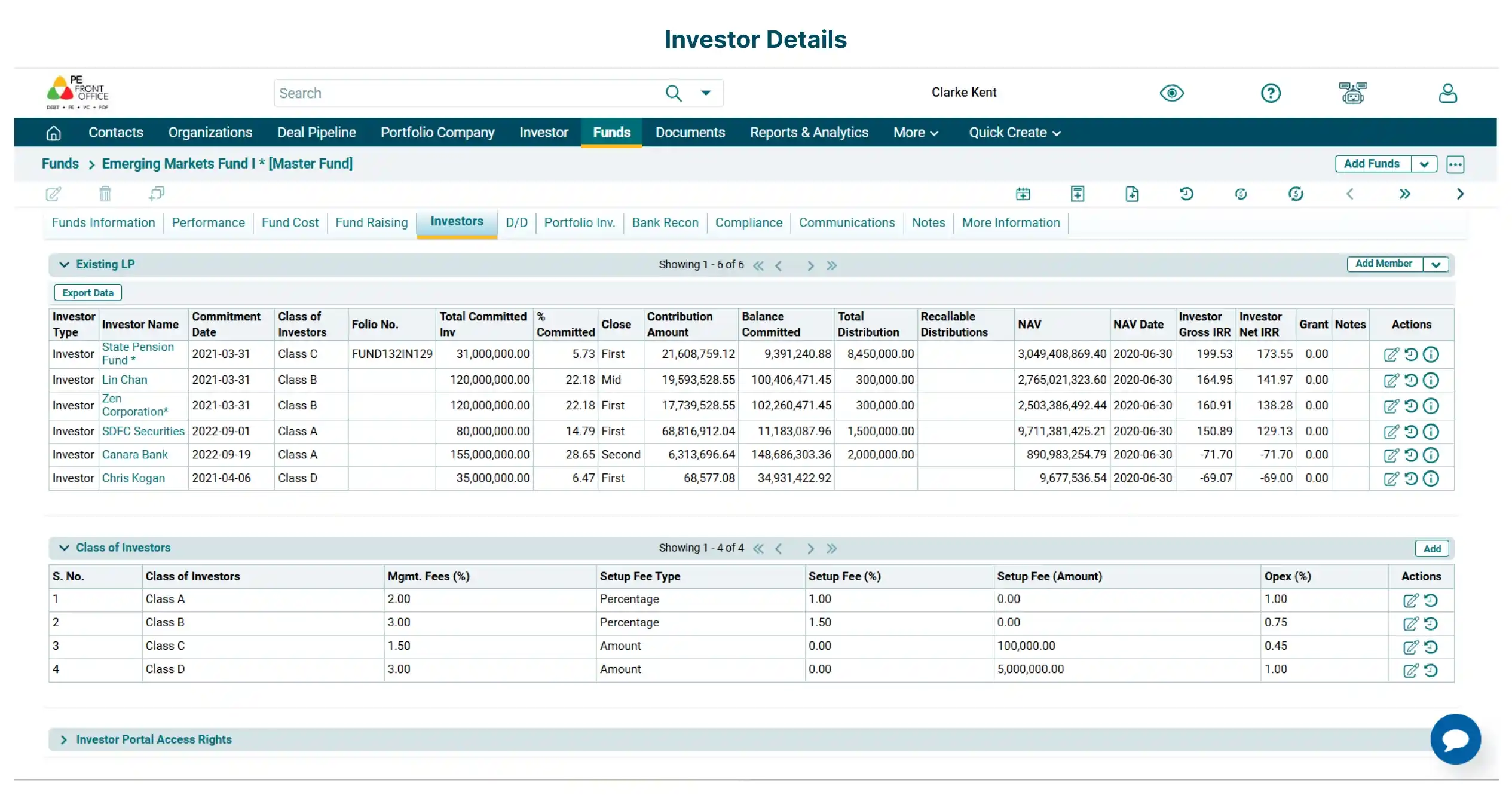
View detailed attributes of investors like currency, commitment date, commitment amount, contribution amount, and distribution amount. Assign investor to different classes based on percentage of management fees, setup cost and operational expenses.
Automatically calculate DPI, RVPI, and TVPI to monitor investor performance, with investor-level gross/net IRR and NAV.
Fund Leverage
Fund Leverage
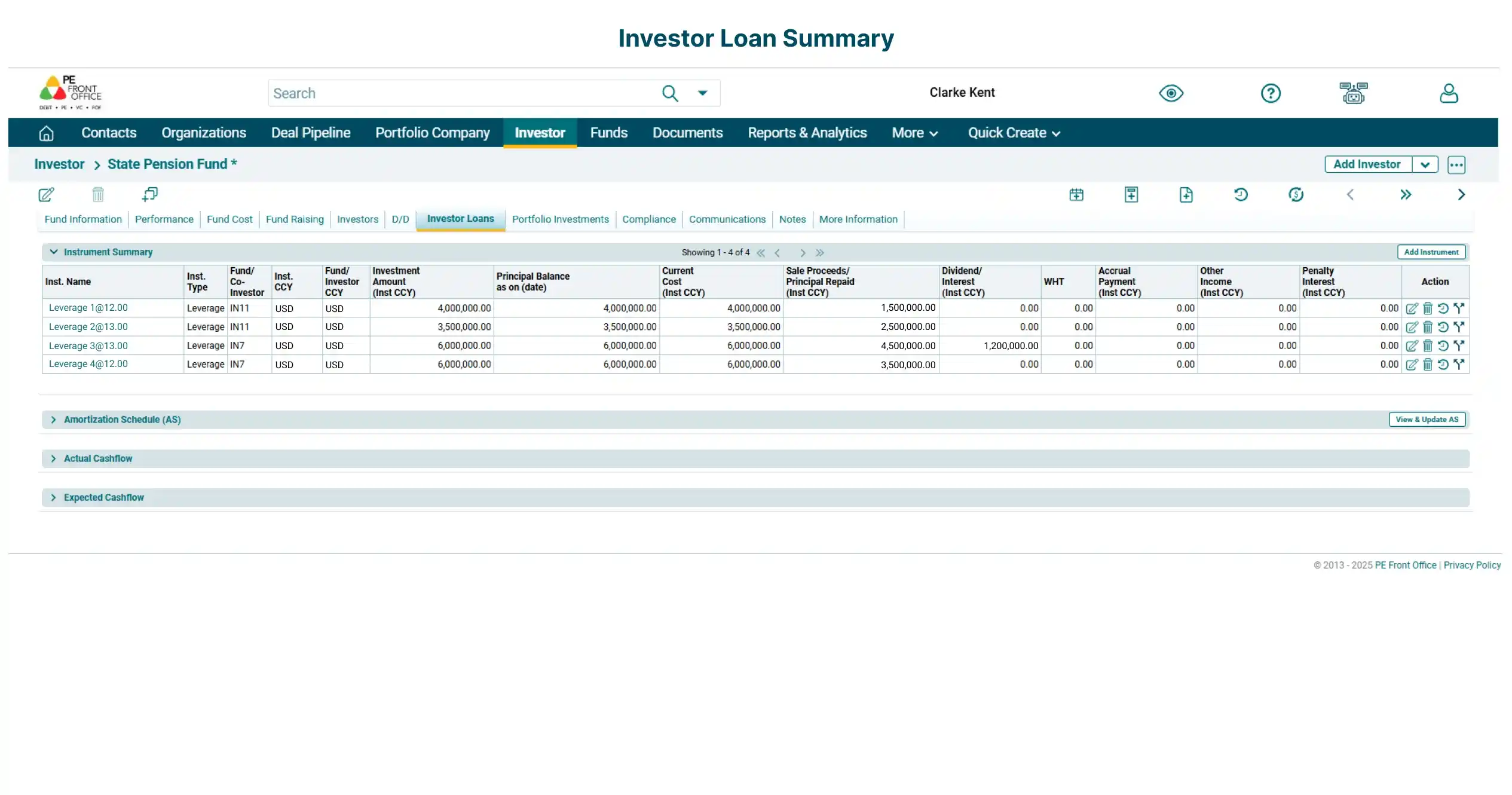
Manage investor-provided loans to funds with automated generation of amortization schedule along with interest and fee calculations.
Additionally, track periodic payouts, and auto-calculate IRR ensuring precision and transparency in fund-level leverage management.
Portfolio Investment Summary
Portfolio Investment Summary
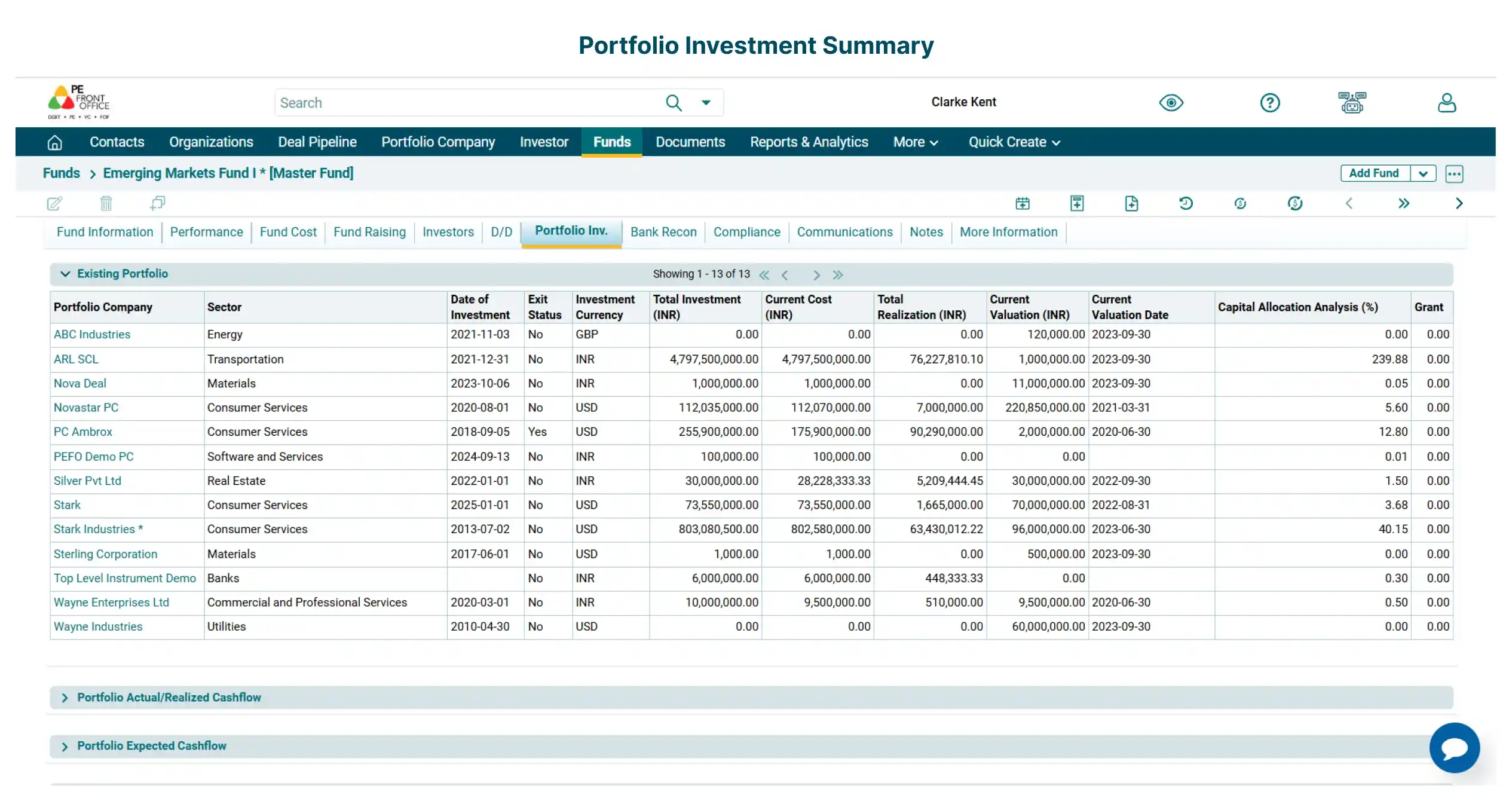
View portfolio summary such as investee company name, sector, investment date, investment currency, total investment, and more.
Additionally, view the actual/expected cashflows and valuations of underlying investments and any adjustments.
Fund Costs
Fund Costs
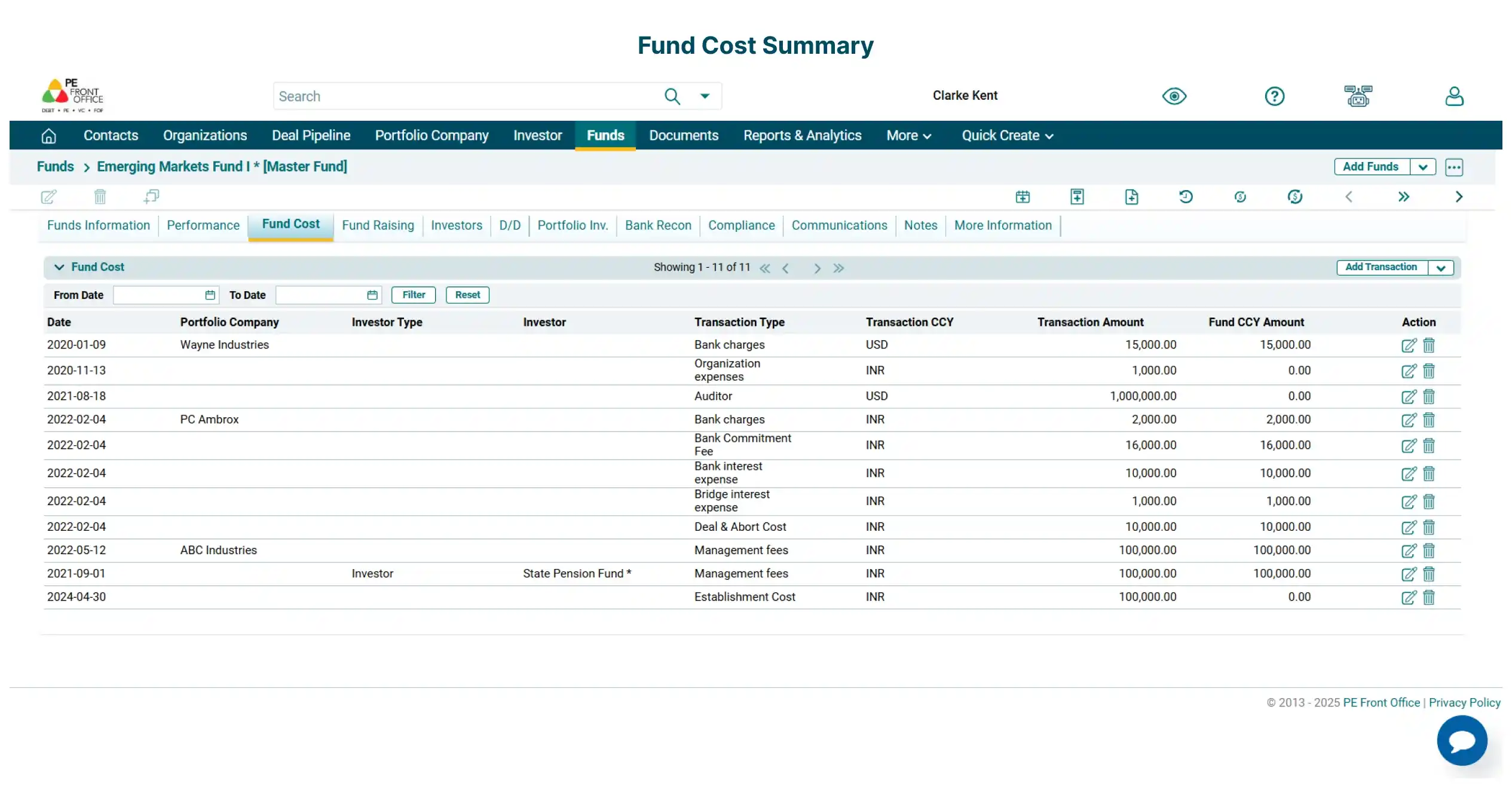
Capture fund costs categorized by management fees, bank charges, interest expenses, etc. Apportion fund cost among multiple investors based on either commitment or contribution percentages.
Bank Reconciliation
Bank Reconciliation
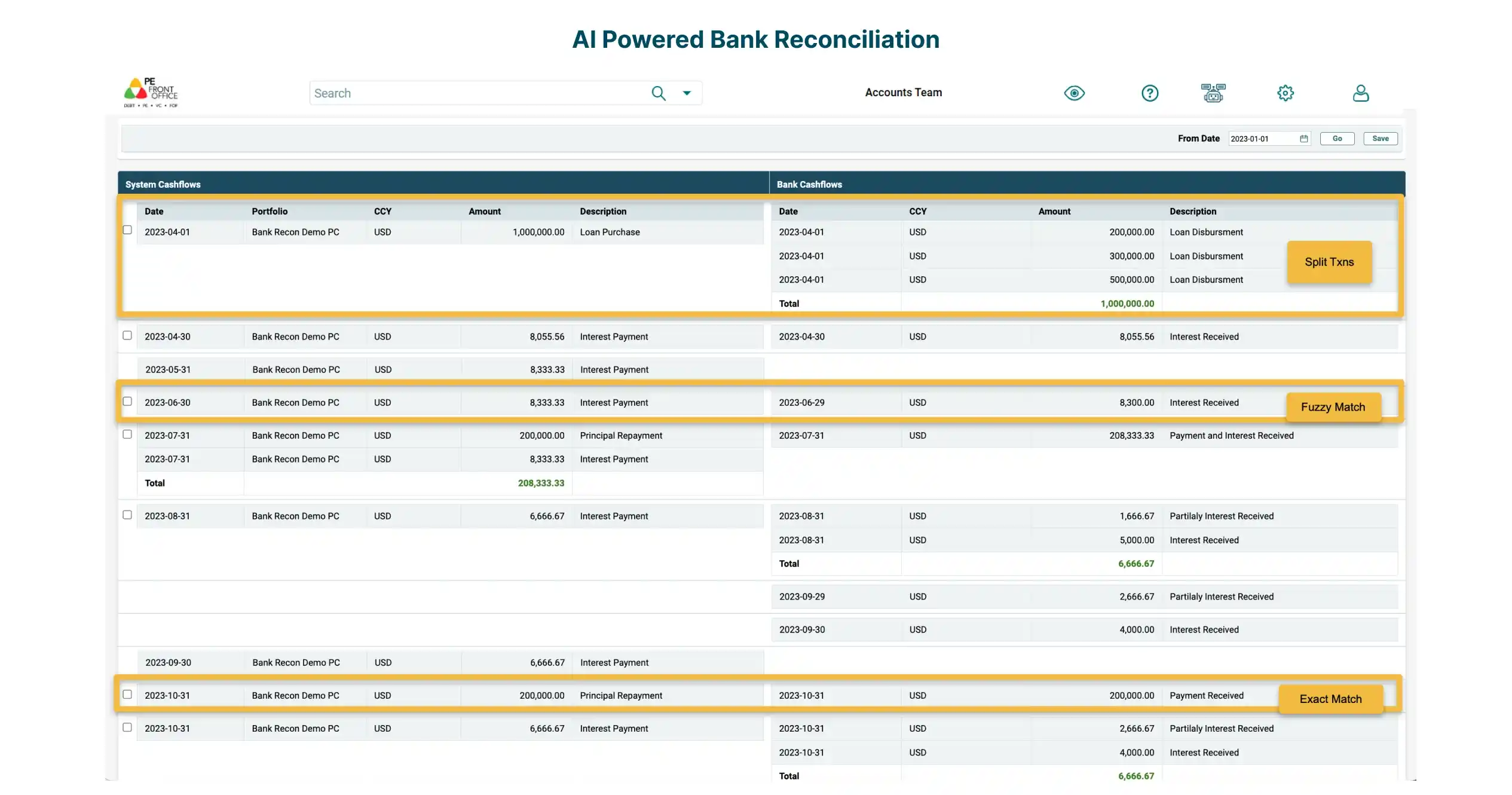
Leverage advanced, AI-powered bank reconciliation to match expected cashflow with bank statement and update the actual cashflow. Our proprietary logic delivers exact, fuzzy, and grouped matching for accurate identification of cashflow entries.
Currency Hedging
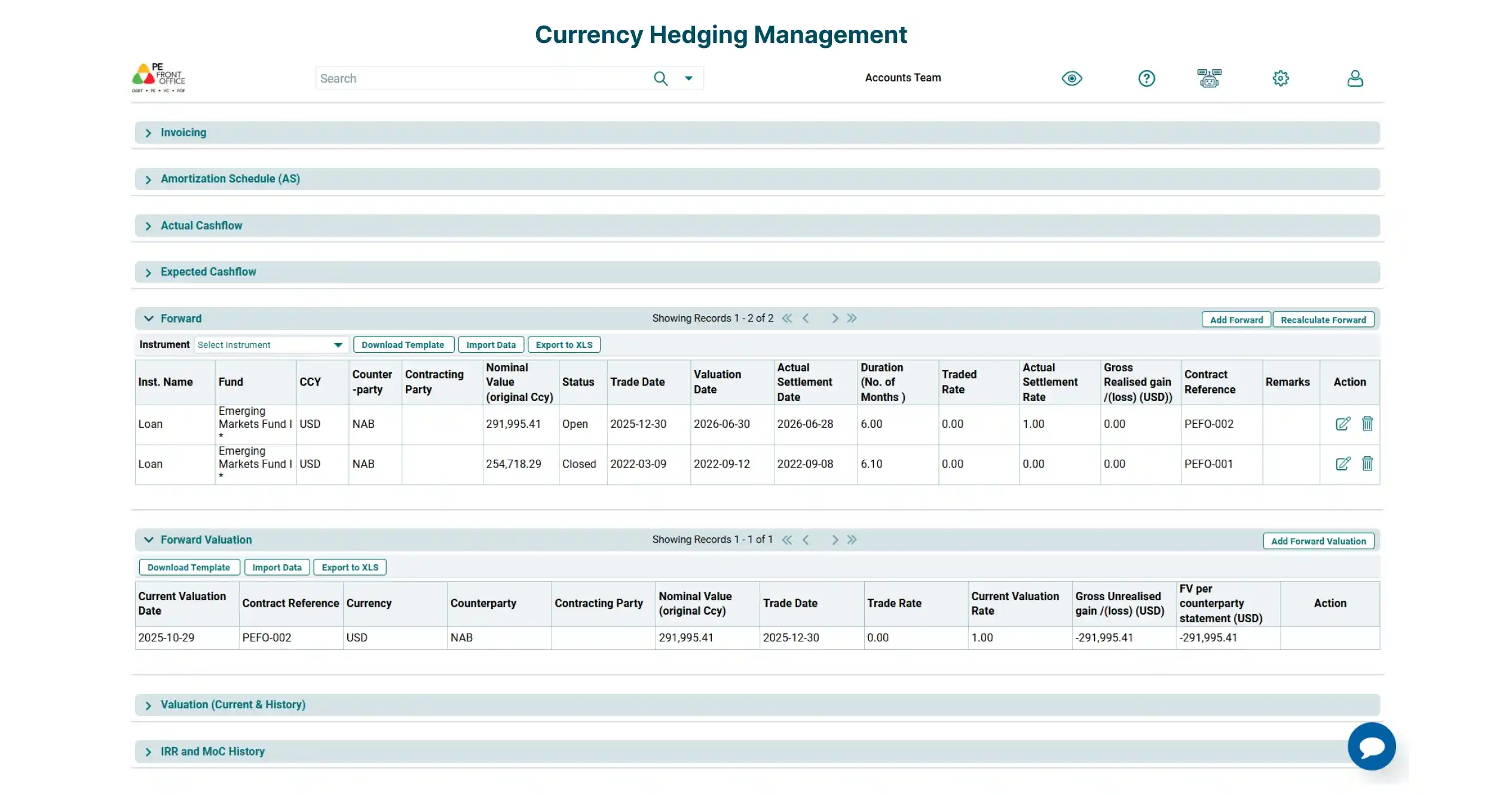
Currency Hedging
Mitigate currency fluctuation risks by locking in forex rates with forward contracts & options. Manage exposure across currencies, ensuring predictable cashflows and protecting portfolio returns.
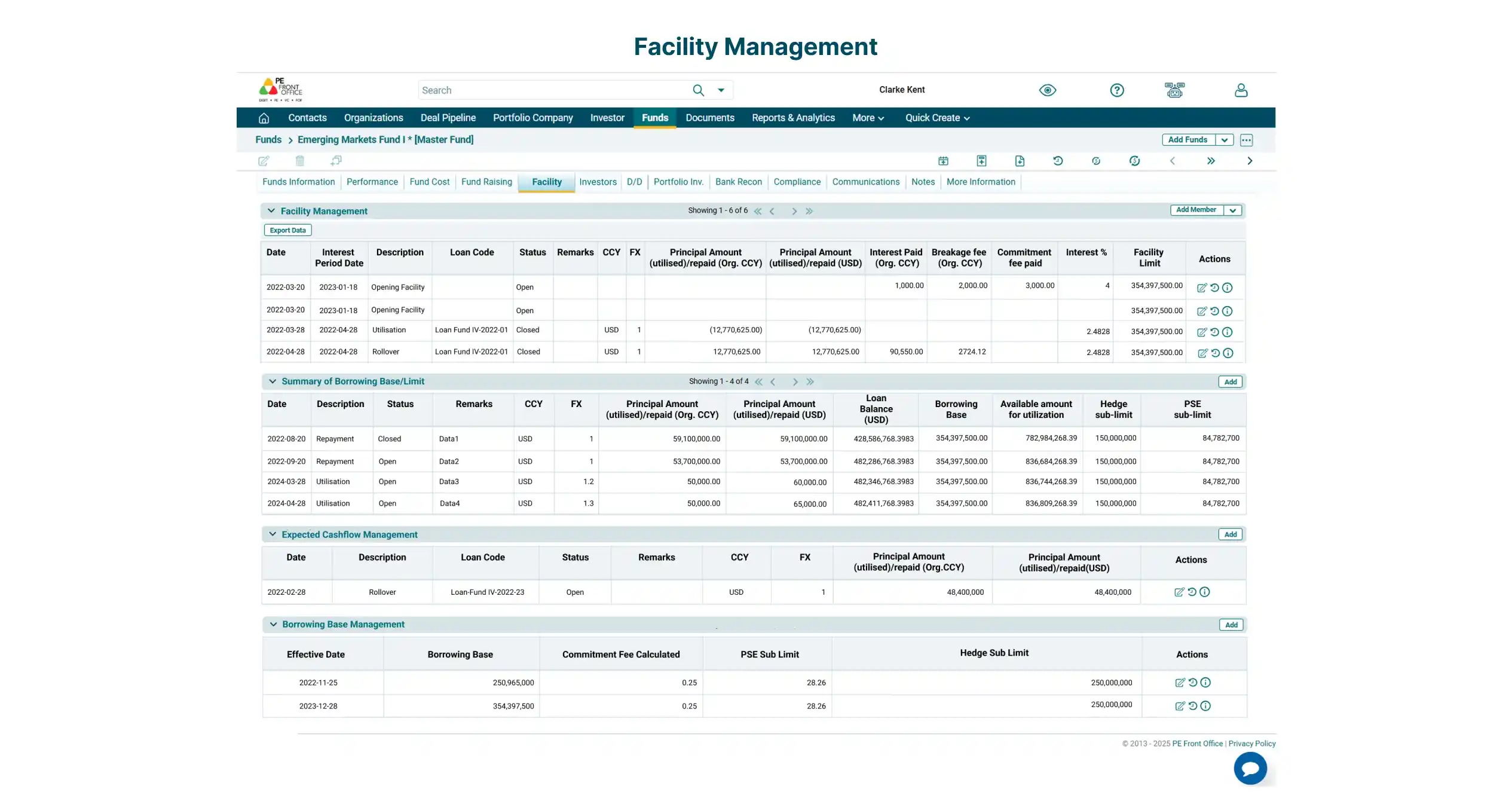
Facility Management
Facility Management
Manage short-term credit financing along with transaction types such as opening facility, repayment, roll-overs, utilization and others.
Compliance
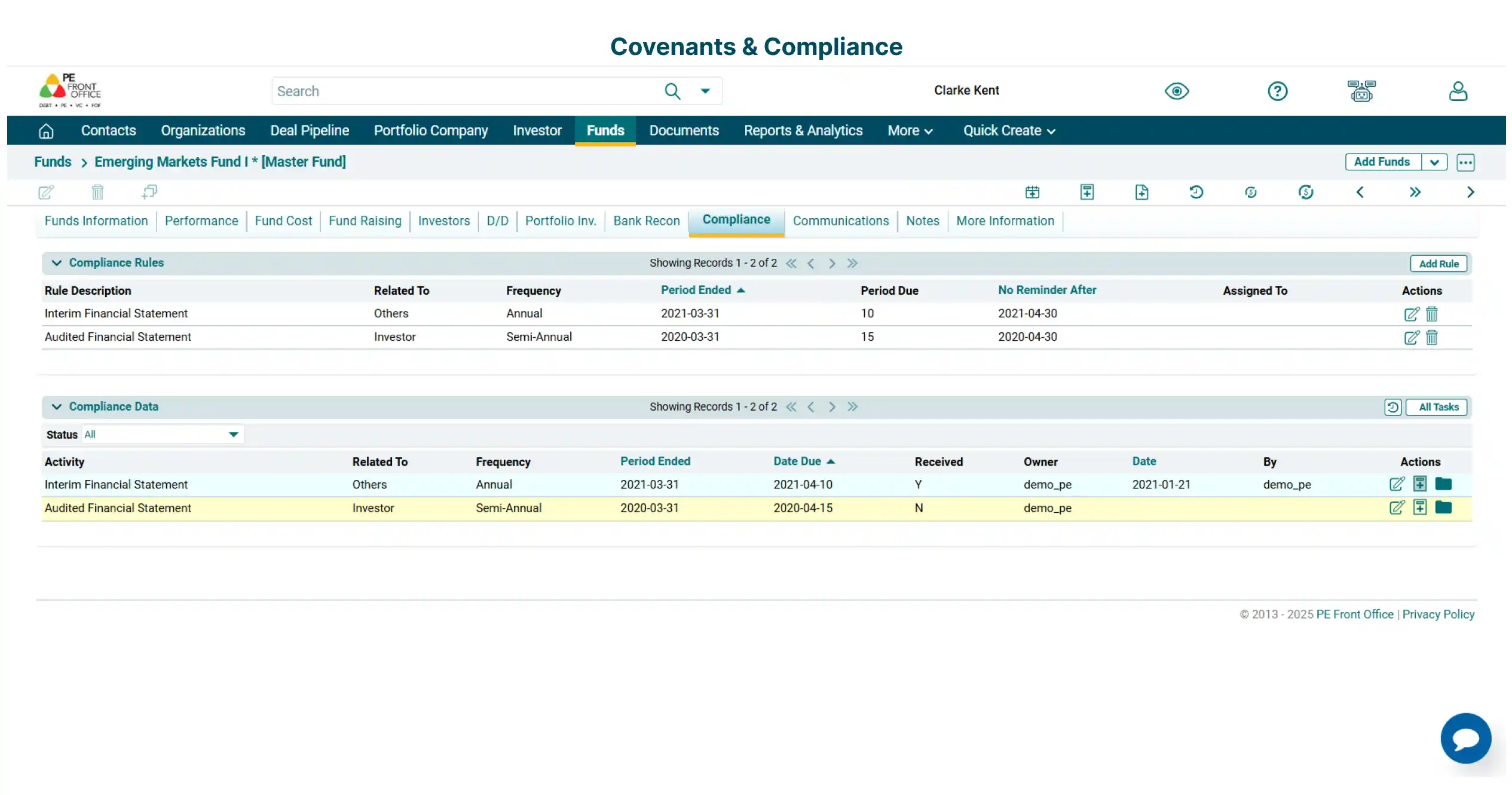
Compliance
Define rules-based fund specific compliances and other custom covenants. Assign tasks and set up alerts & reminders.
Our Clients