

Portfolio Management Software
Manage Investments and Performance in One Place
Manage Investments and Performance in One Place
Track investment structures, cash flows, valuations, ownership, and performance across your portfolio. Get a clear view of every investment and the information your team needs to identify risk and make confident decisions.
Get a DemoInvest with Confidence. Create More Value.
Portfolio Dashboard
Portfolio Dashboard
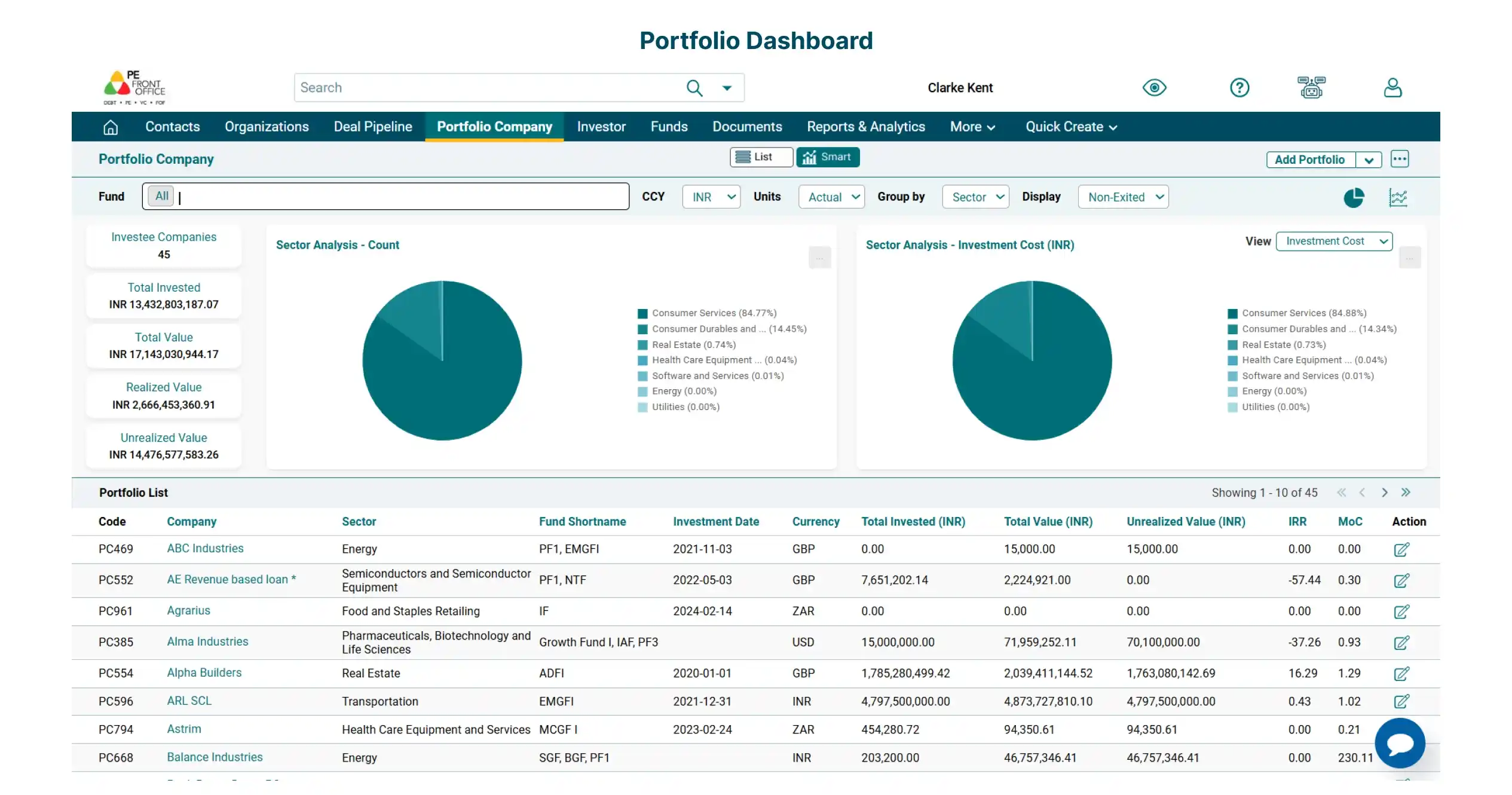
Achieve a 360-degree overview of the portfolio investments with details like number of investee companies, sectoral bifurcation, total invested amount, and total value.
Detailed Portfolio Company View
Detailed Portfolio Company View
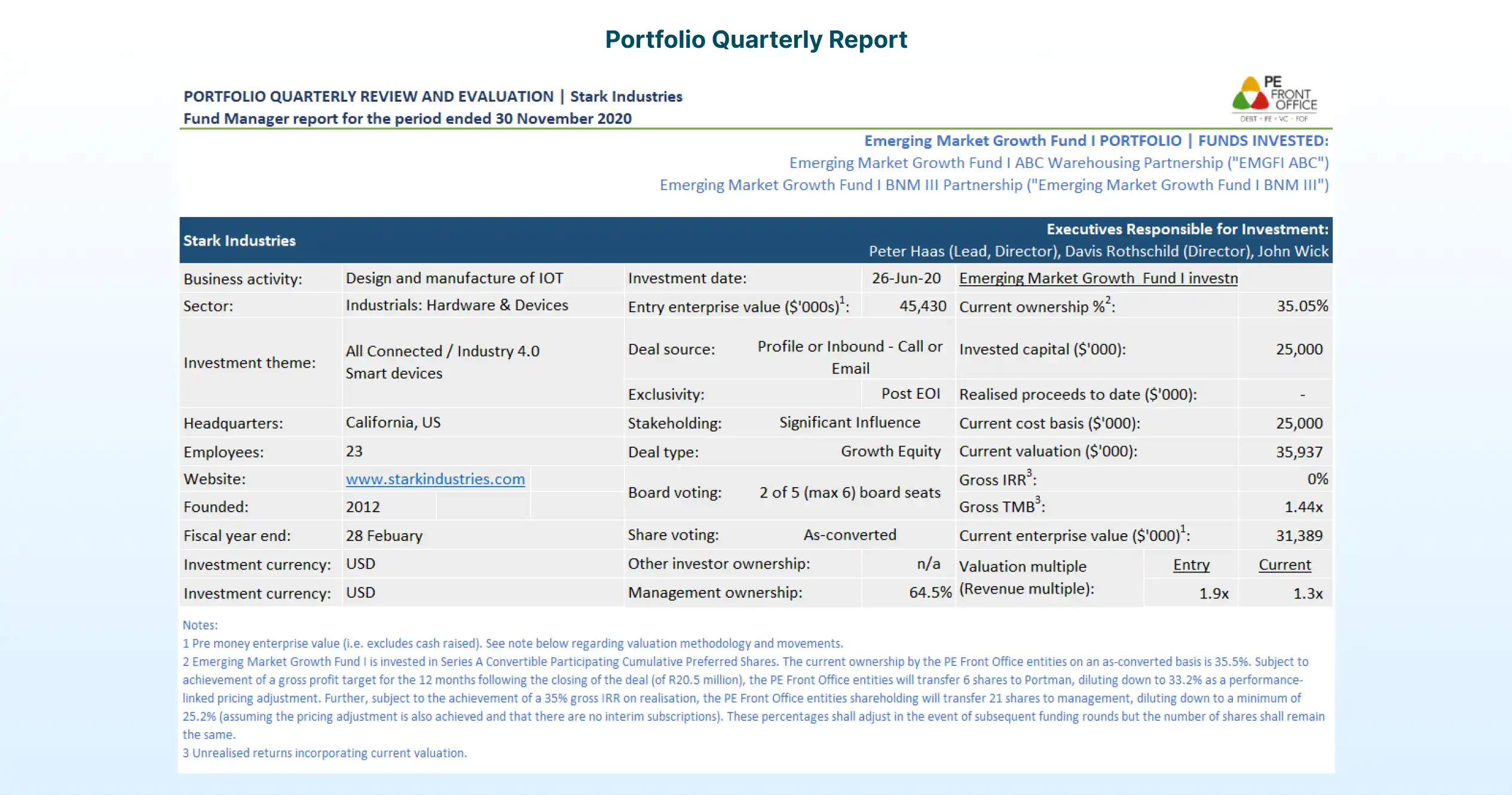
Capture portfolio information and link the deal information seamlessly with the portfolio company. Track portfolio performance with automatically calculated parameters, such as IRR and MOC.

Multi-Instrument Portfolio Views
Multi-Instrument Portfolio Views
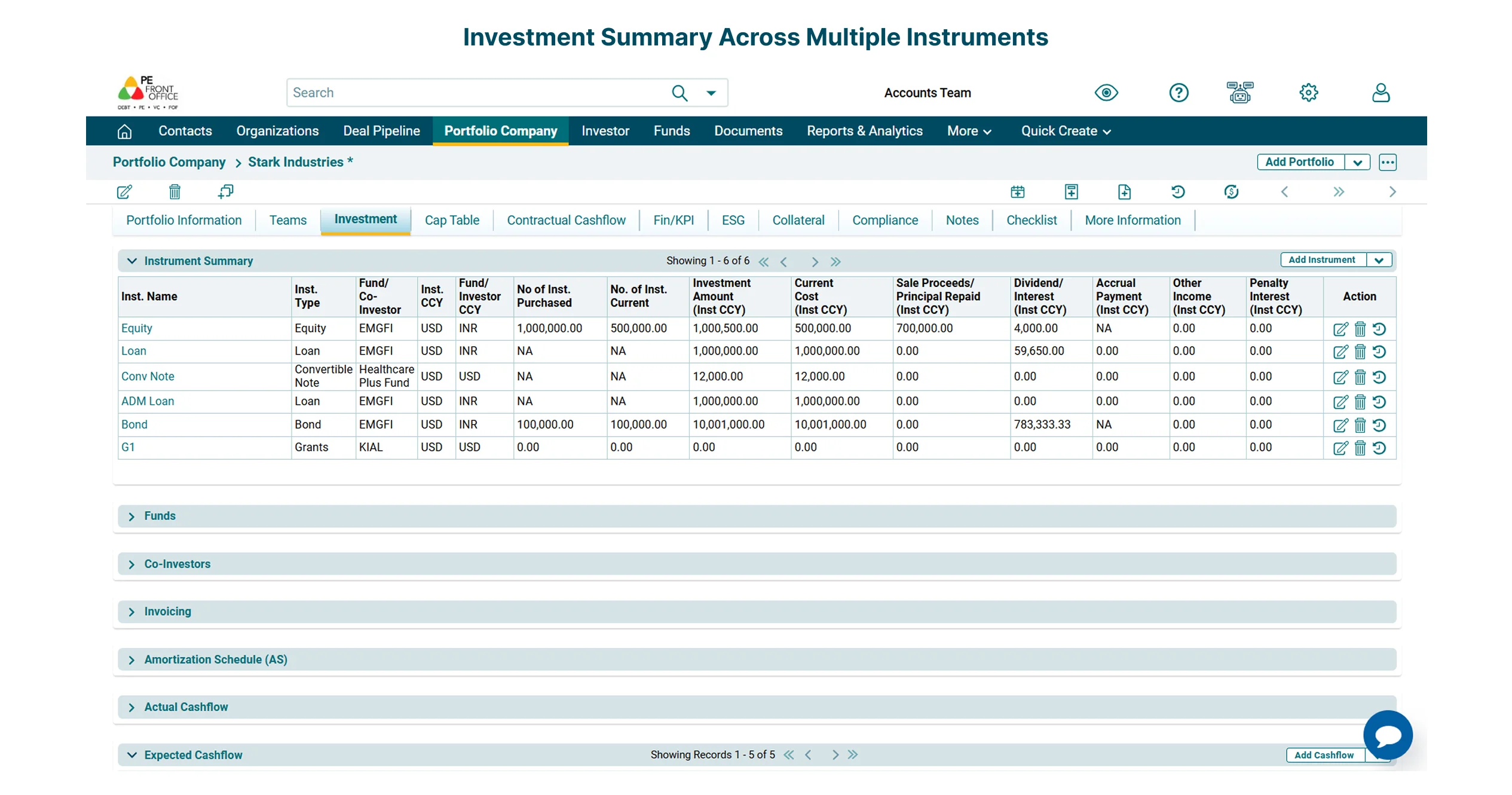
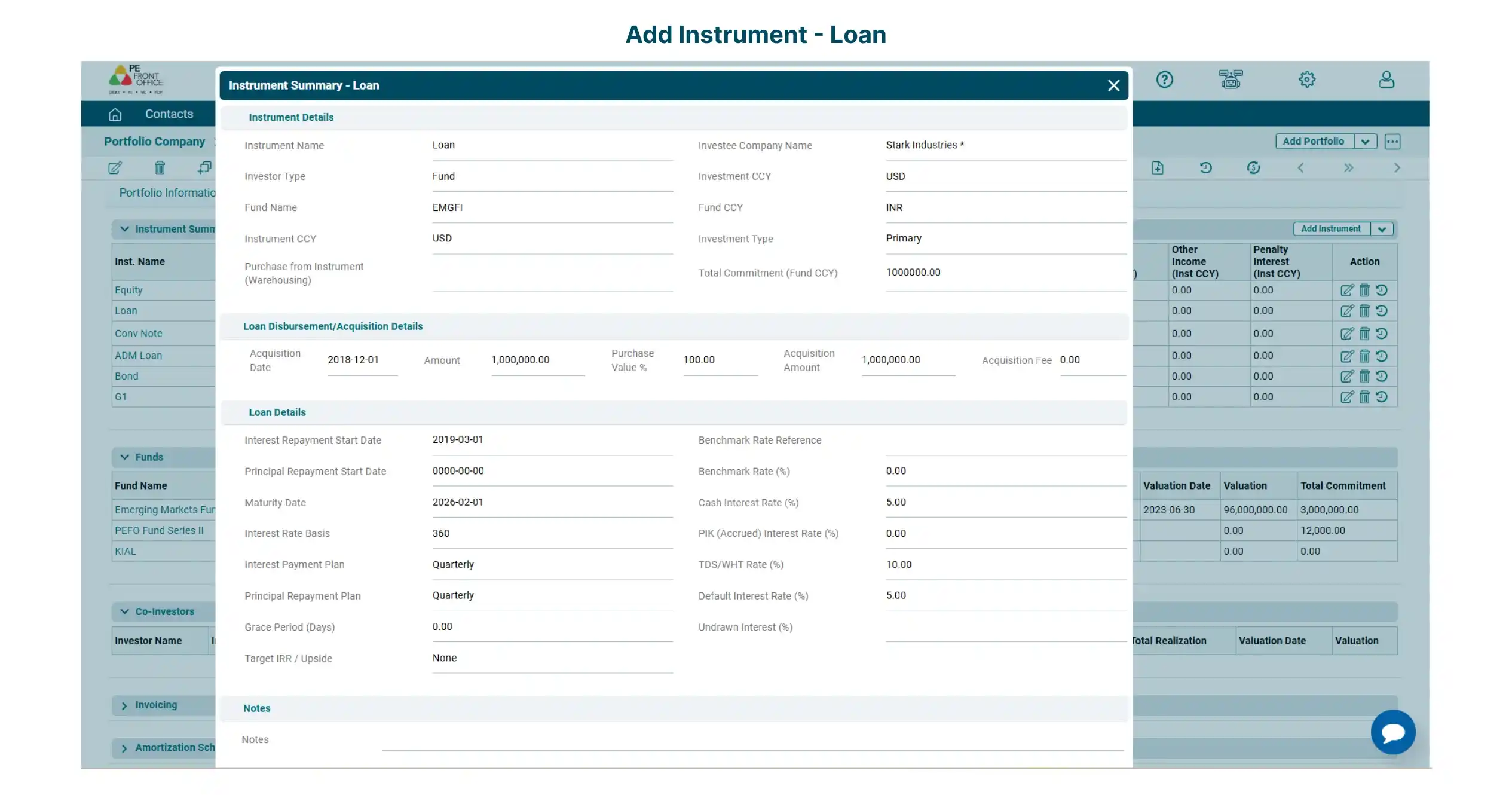
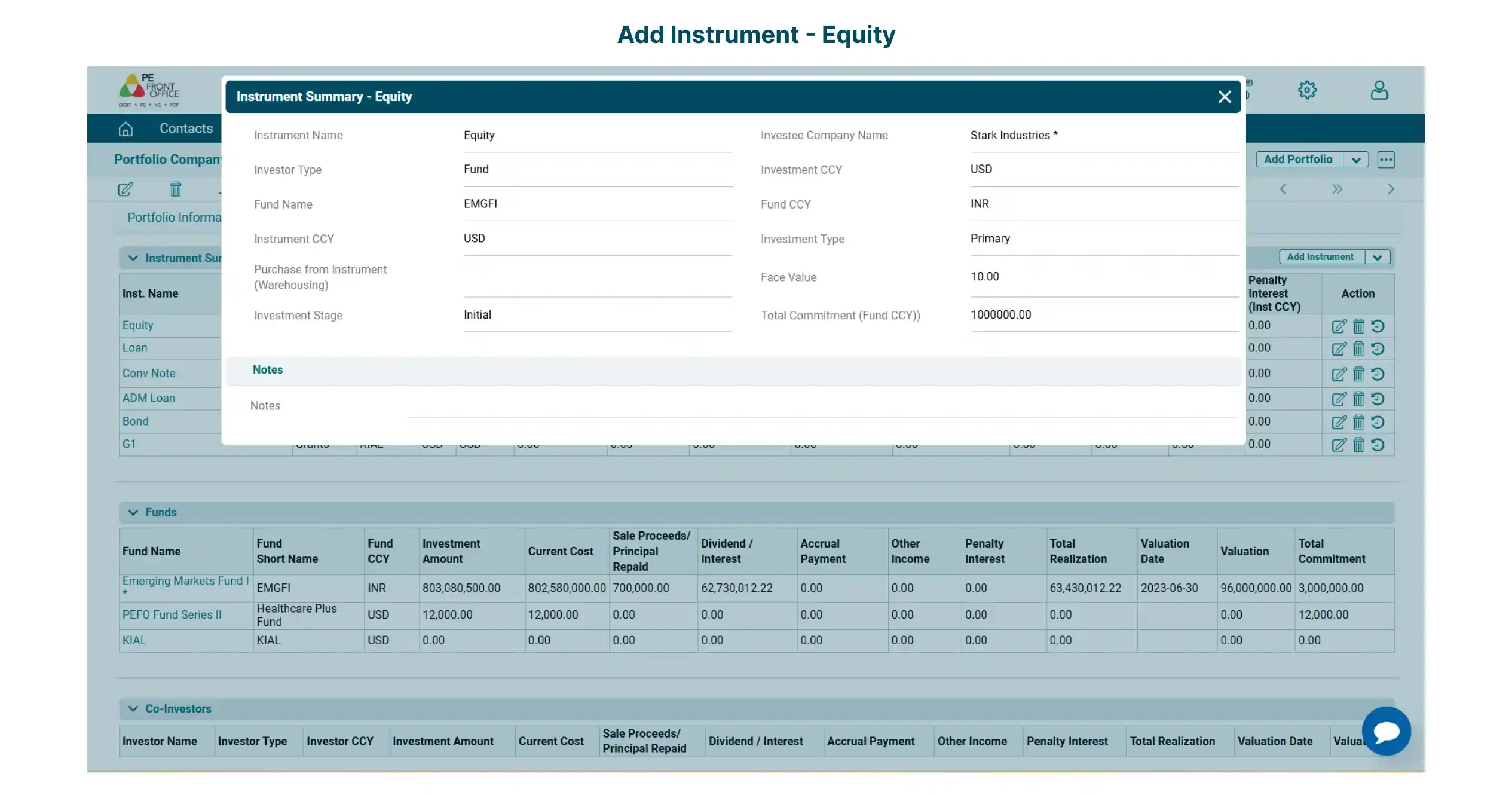
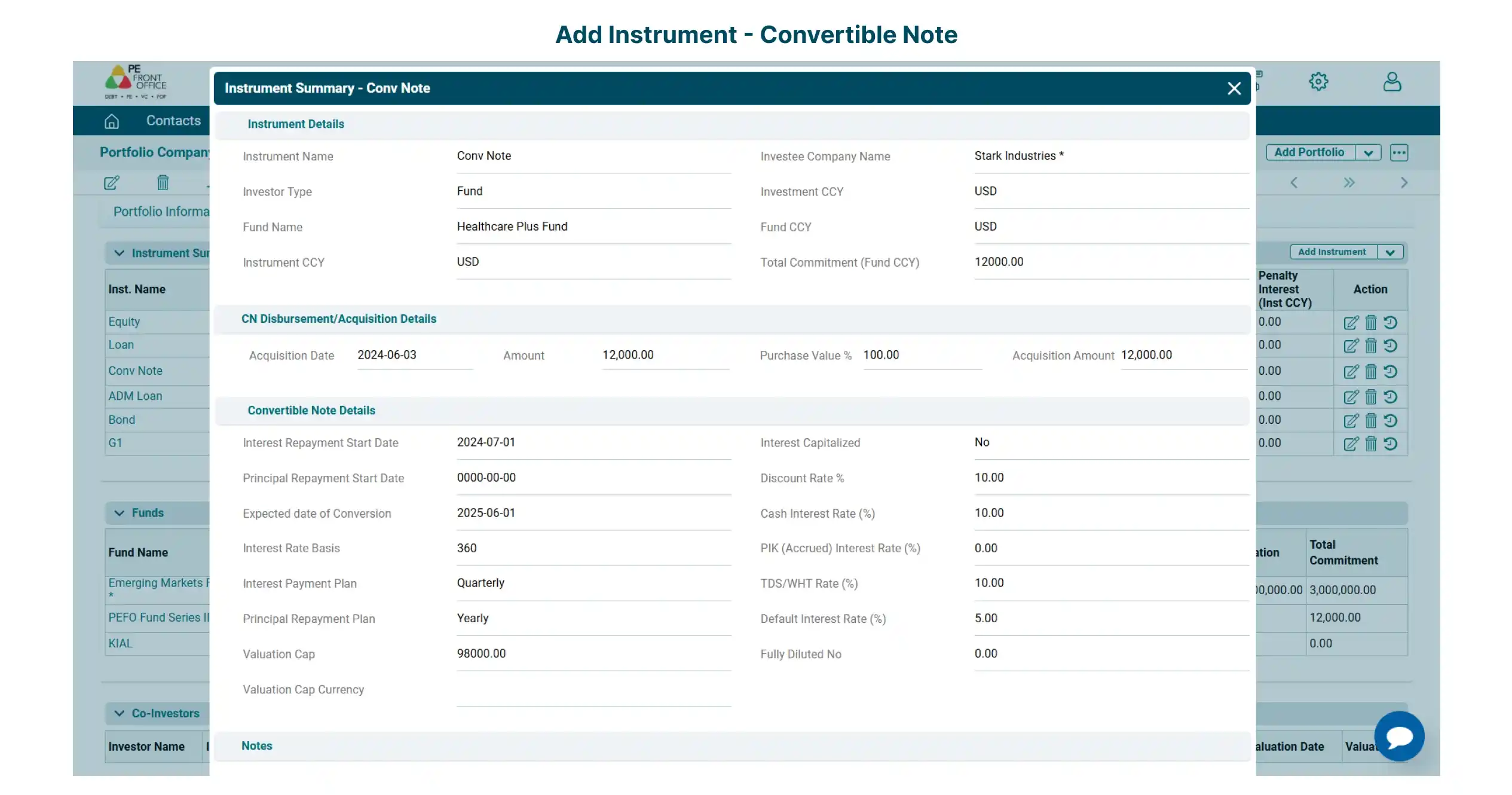
Track and manage investments across equity, debt, preference shares, convertible notes and bonds, as well as fund investments and co-investments.
Actual and Expected Cashflows
Actual and Expected Cashflows
Capture cashflows while maintaining all the historical records. Track actual cashflows vis-a-vis expected cashflows.

Evaluate Investment Performance
Evaluate Investment Performance
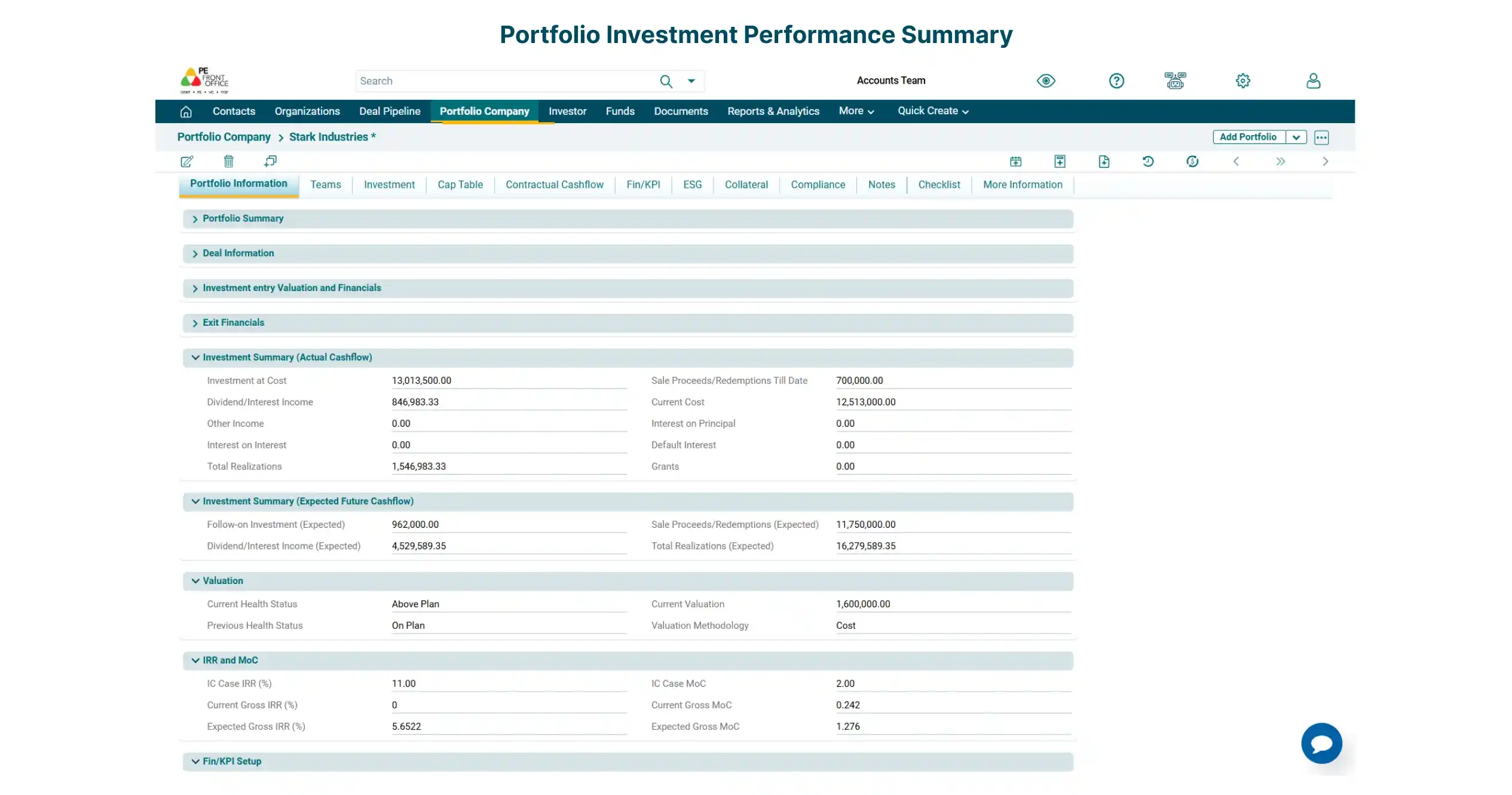
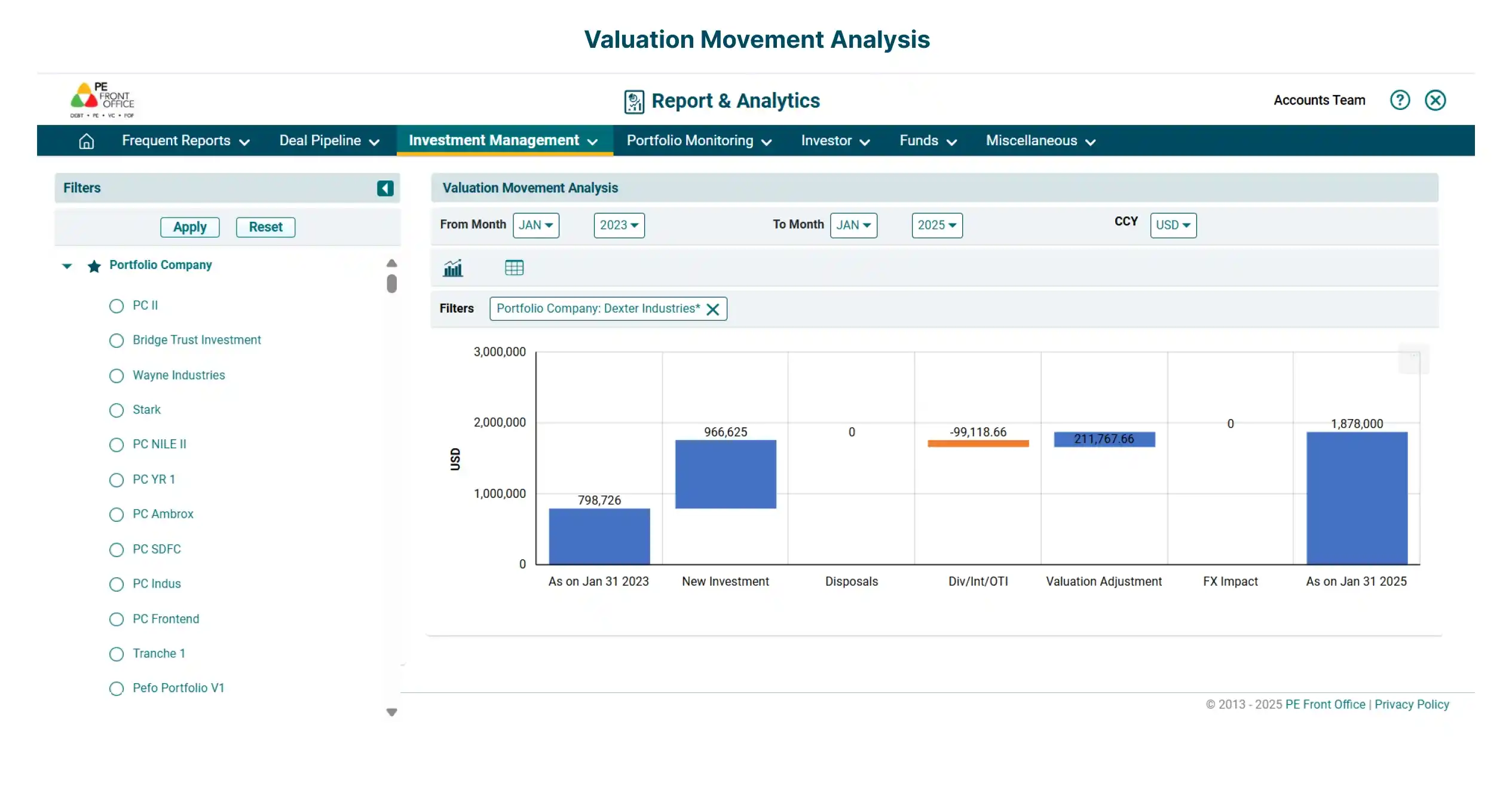
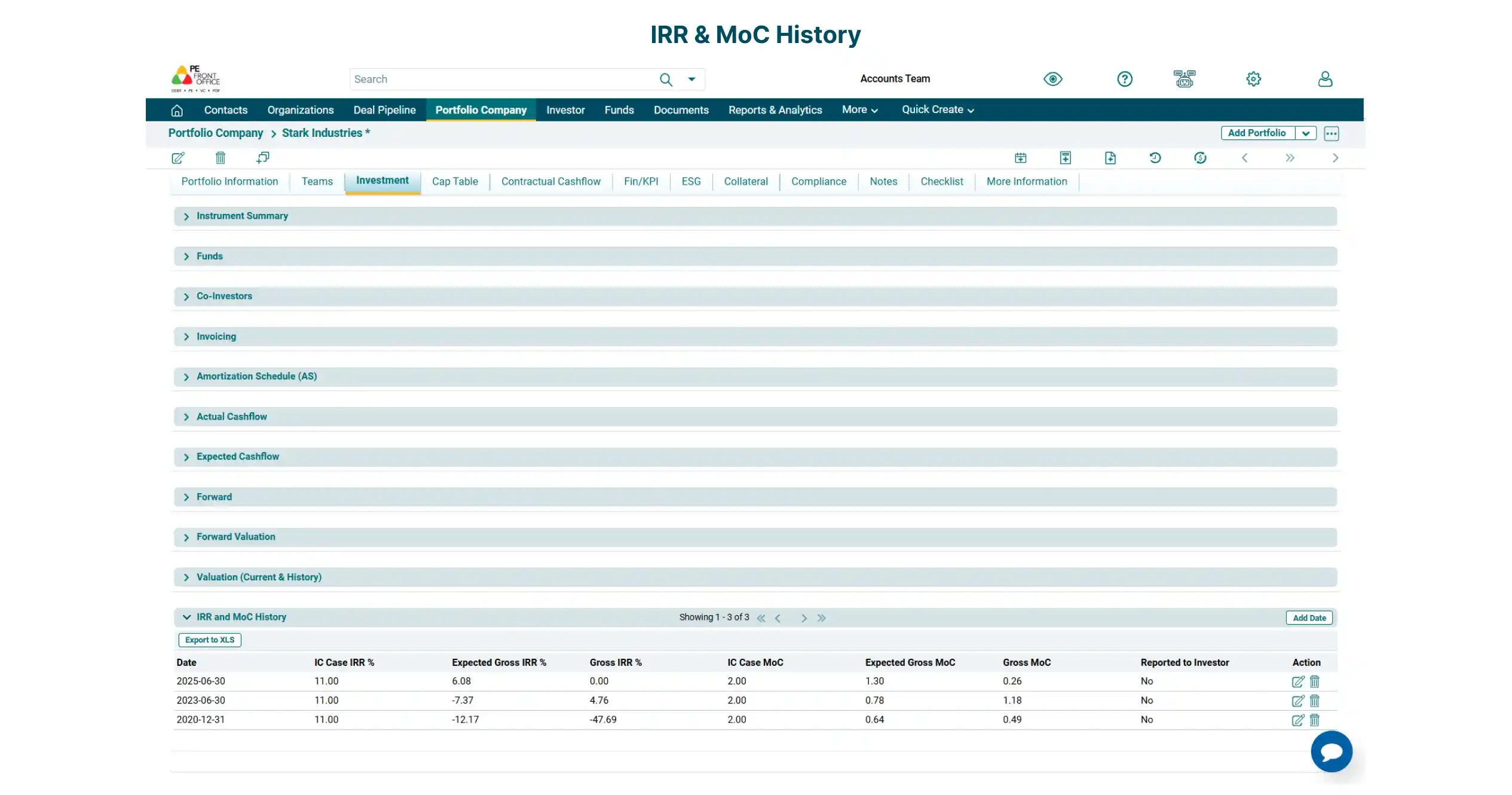
Easily track the performance of portfolio investments, through automatic IRR and MOC calculations based on cash flows and valuations. Perform what-if/scenario analysis with audit trails. Maintain a historical view for analysing investment performance by tracking IRR, MOC and Valuations.
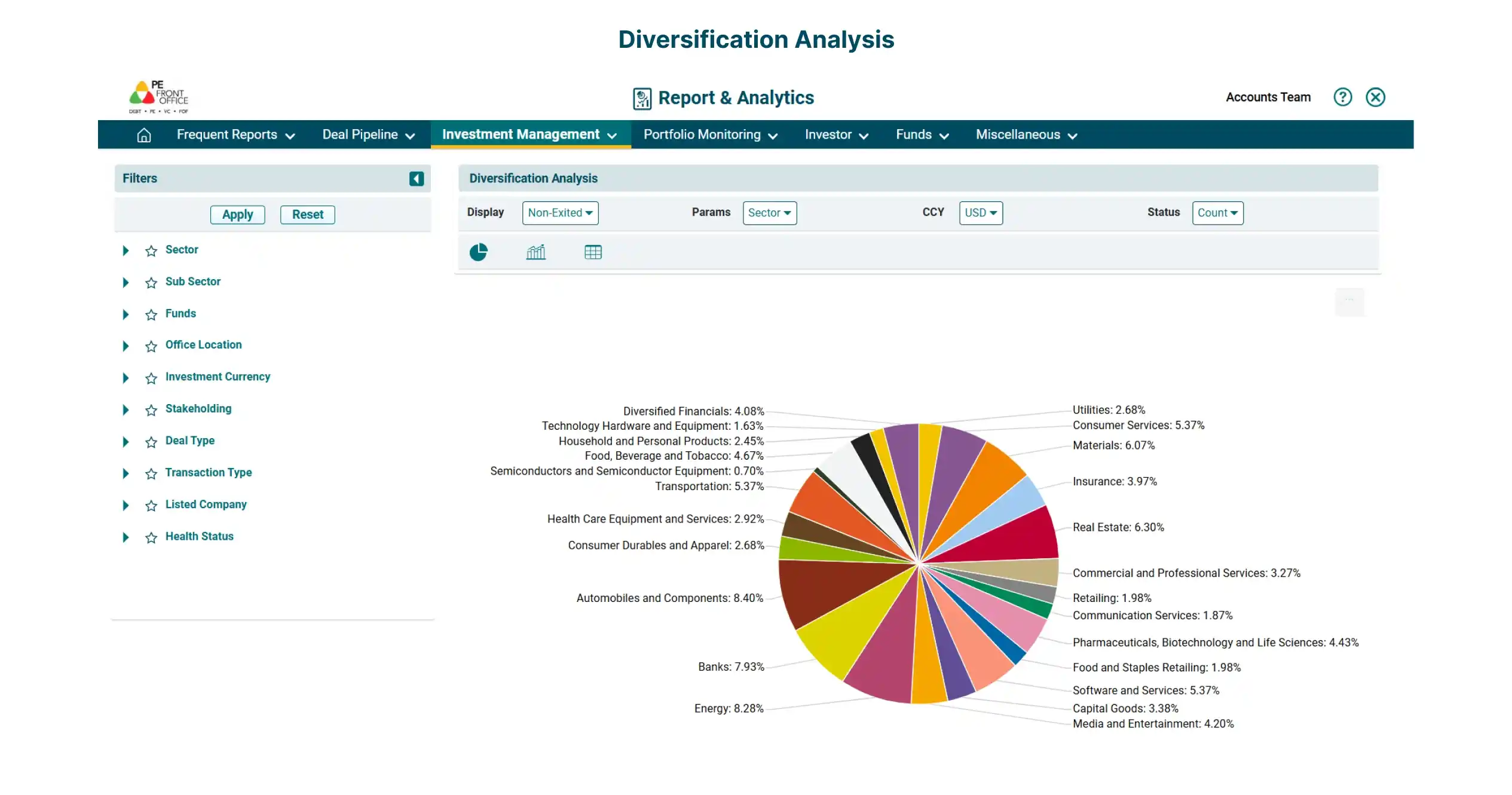
Perform real-time analysis of data and generate comprehensive reports, such as Investment Report, Cashflow Report, and Instrument Level IRR Report.
Amortization/Repayment Schedule
Amortization/Repayment Schedule
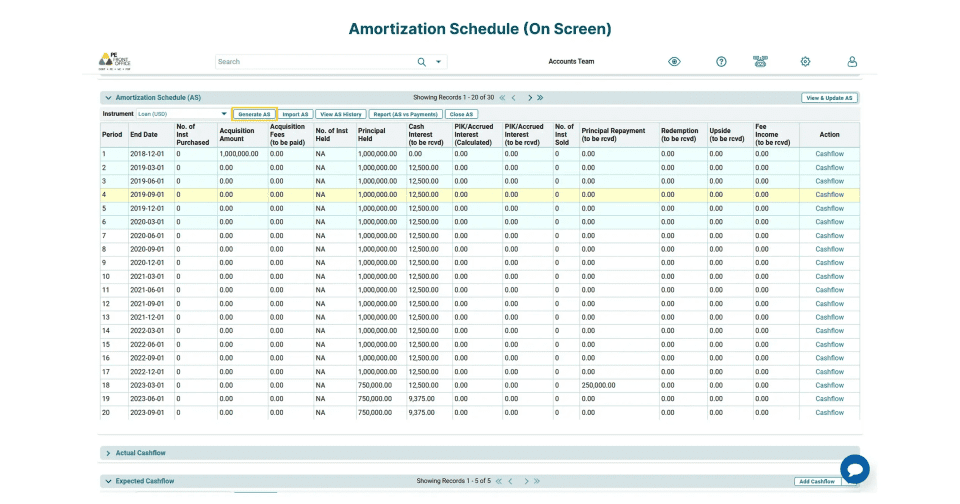
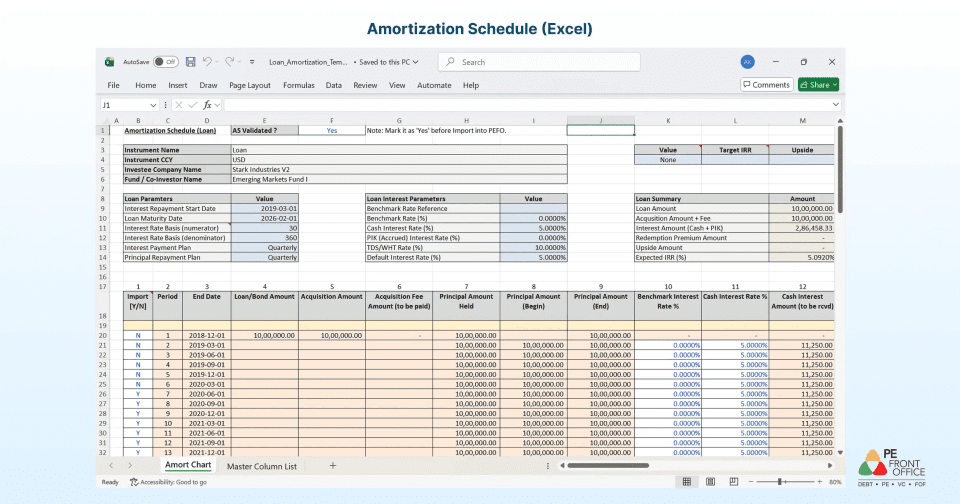
One Platform for Private Equity and Private Credit Investing. PE Front Office supports dedicated loan-management workflows, including automated amortization and repayment schedules, expected and actual cash flows, and changing loan terms.
Quarterly Valuations
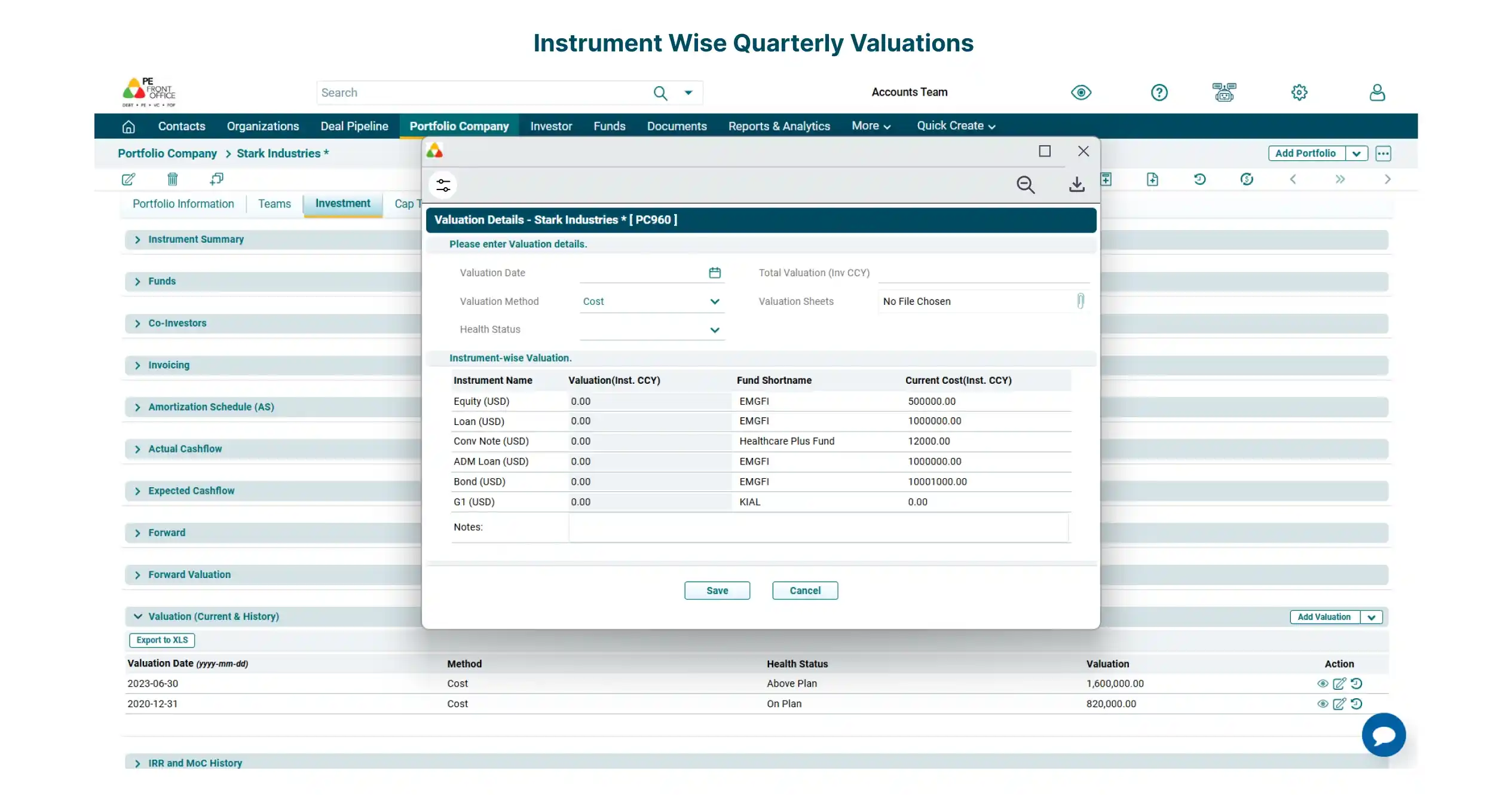
Quarterly Valuations
Track instrument-wise valuations while maintaining all the historical records. Capture the valuation methodology and upload supporting documents.
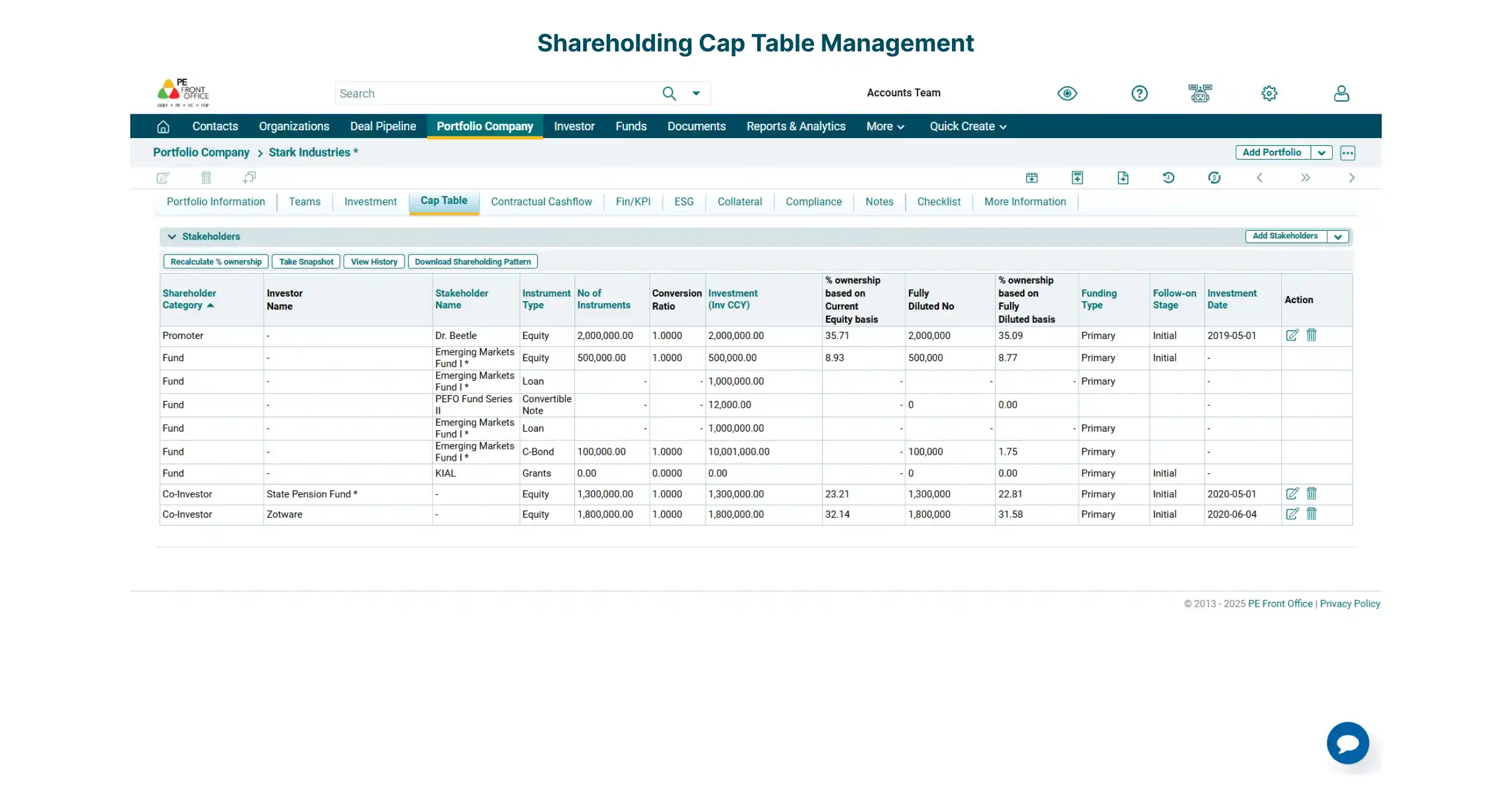
Shareholding/Cap Table
Shareholding/Cap Table
Maintain the shareholding pattern of funds and non-managed co-investors with automated shareholding calculations. Fund managers have the flexibility to add other stakeholders such as non-managed co-investors, promoters, and company ESOP pool.
Track Funding Rounds
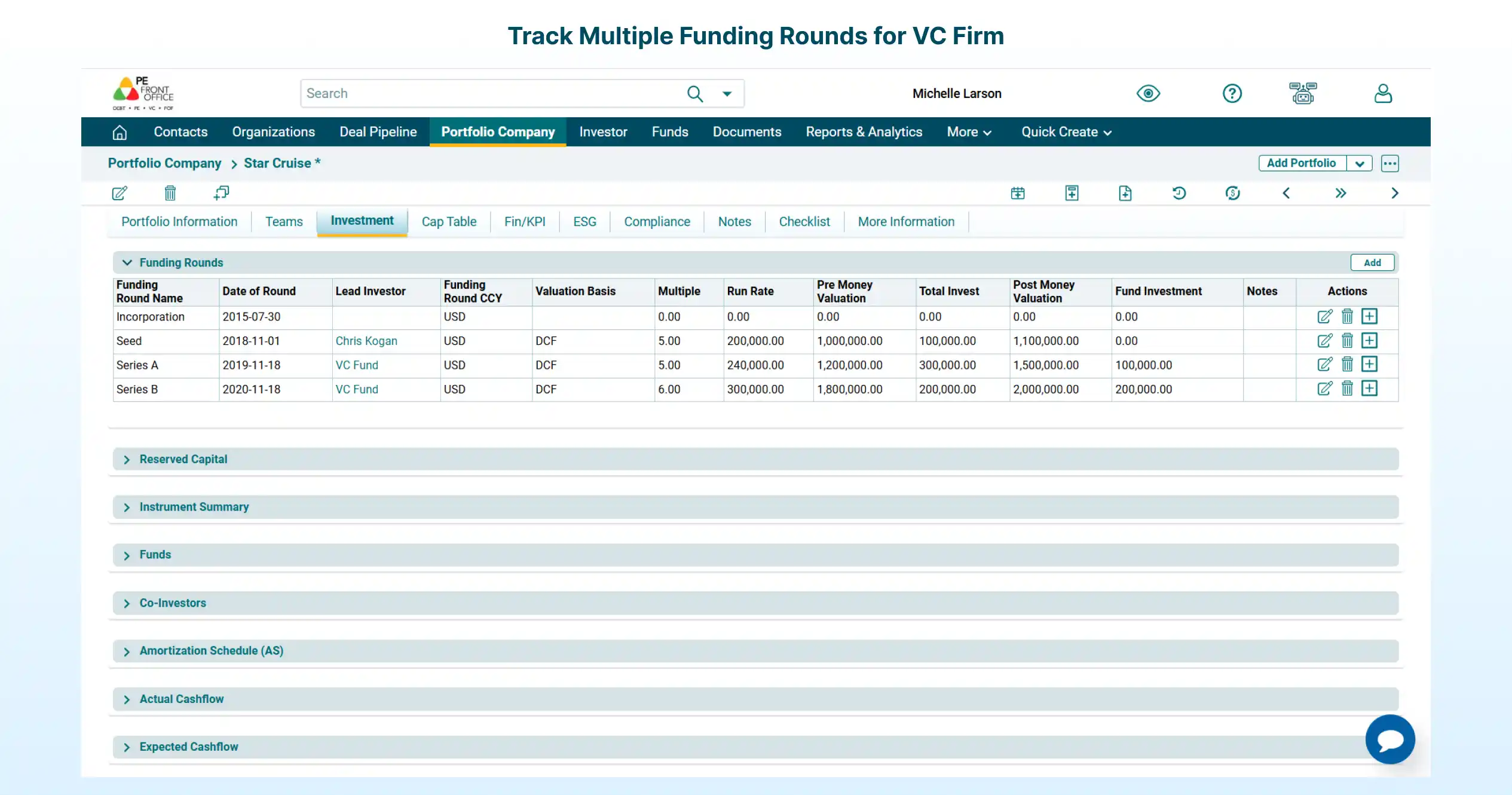
Track Funding Rounds
Track key parameters such as pre-money and post-money valuations across multiple funding rounds for a VC firm.
Our Clients